Download App
How to install?
Download Now
Category
Avaiation
Business
Accounting
MBA
3D Modeling
Blender Creator
3D Environments
UI UX Design
Adobe XD
UI Design
Mobile Development
App Development
Software Development
Python
iOS Development
Laravel
Home
Home
Homepage V1
Homepage V2
Homepage V3
Homepage V4
Homepage V5
Homepage V6
Homepage
Homepage v7
Courses
Classes
Quiz
Instructors
Contact Us
0
Login
Sign Up
Home
Home
Homepage V1
Homepage V2
Homepage V3
Homepage V4
Homepage V5
Homepage V6
Homepage
Homepage v7
Courses
Classes
Quiz
Instructors
Contact Us
Login
Sign Up
Install Our App
Choose your platform to get step-by-step instructions
iPhone (Safari)
Android (Chrome)
Desktop
iPhone / iPad (Safari)
Open this app in
Safari
.
Tap the
Share
icon at the top of the screen.
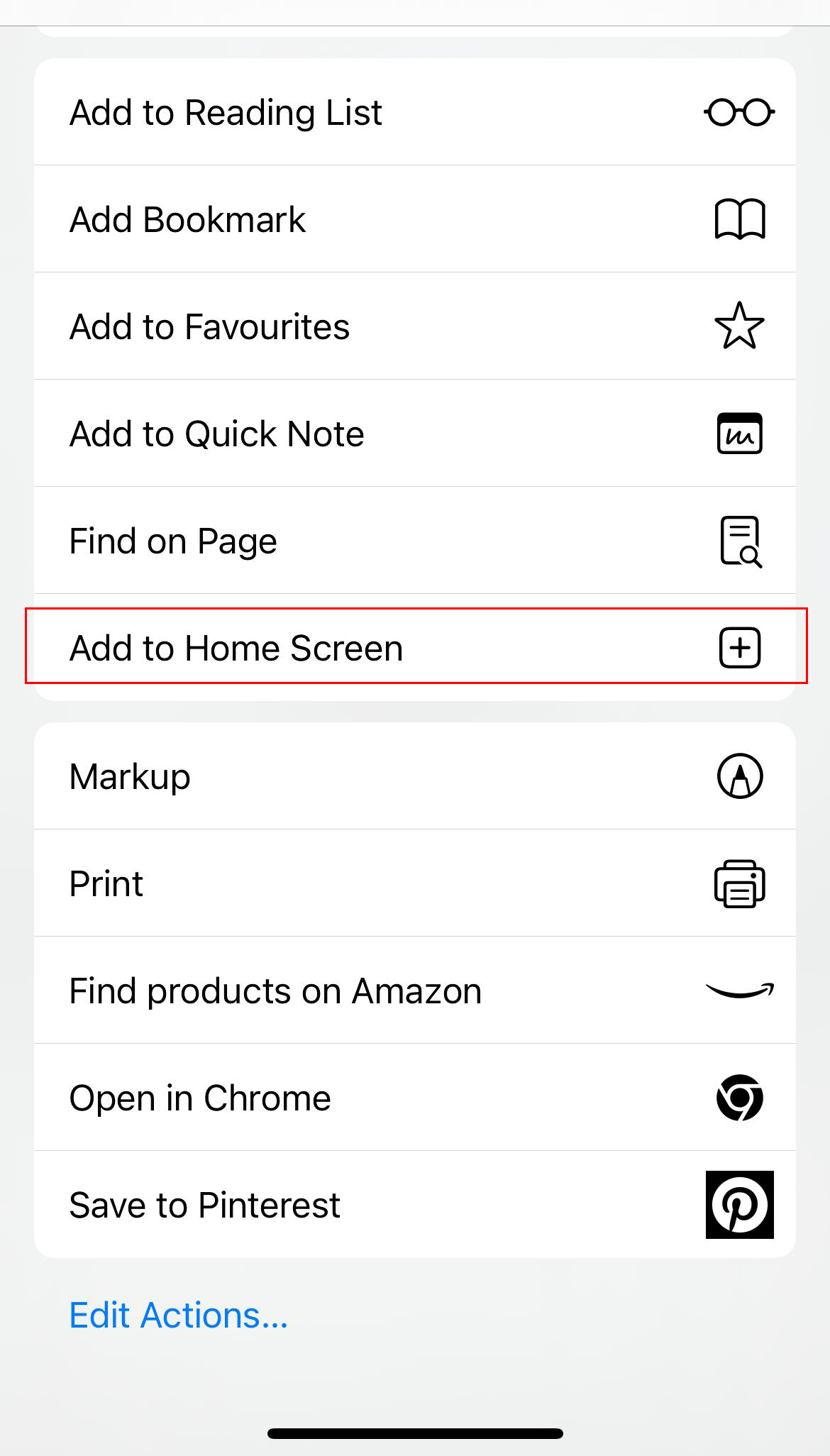
Scroll down and tap
"Add to Home Screen"
Tap
Add
on the top right corner.
Android (Chrome)
Open this app in
Google Chrome
.
Wait a few seconds, and you’ll see a prompt saying
“Add to Home Screen”
.
If not, tap the
three-dot menu
at the top right.
Select
“Add to Home screen”
.
Tap
Install
.
Desktop (Chrome / Edge / Firefox)
Open this app in
Chrome
,
Edge
, or
Firefox
.
Look for an
install icon
near the address bar or click the
three-dot menu
.
Click
"Install App"
or
"Add to taskbar"
.
The app will open in a standalone window like a native app.